Phonebook
|
Navigation: The User Interface > What is in Simplicity > Toolbar > Workflow (Phase 1) > Phonebook |
·This browse provides a consolidated list of all the contact details of the all clients and credit provider contact persons on the program.
·This browse allows the user to insert any contact person.
·This browse will also allows user to maintain the Phone list, Address list and Email list for the selected contact person or client.
·Contacts can be swiflty located by using the "Search by selected field" search function.
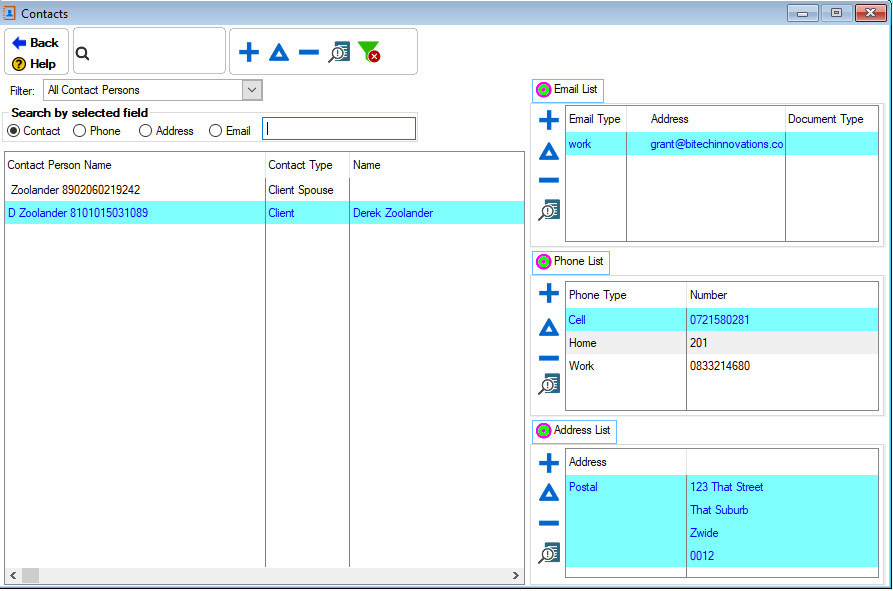
This is an example of the Phonebook browse
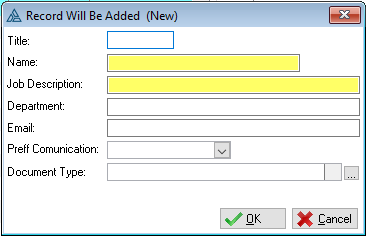
This is an example of the Phonebook form
Click on the link to expand the topic:
 The Following can be found on the Phonebook Browse:
|
·Workflow action definition: o
·Workflow Action: o
o
·Action Triggers: o |