Latest Changes
·This Section will give you all the new information on what was changed in this program version.
·We strongly recommend that you study this section so that you don't miss the new improvements.
·We also advise that you study the version that your program currently is on.
-
In this section the user will come across two different version types: a Patch version and an Upgrade version.2.
oThe Upgrade version will be a full upgrade of the program, where changes were made to the processes in Simplicity.
|
Updated SLA: - Changed minimum Server/Workstation Specs.
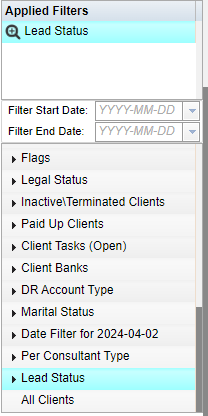
-Added New Filter - Lead Status.
- Added security to all fields
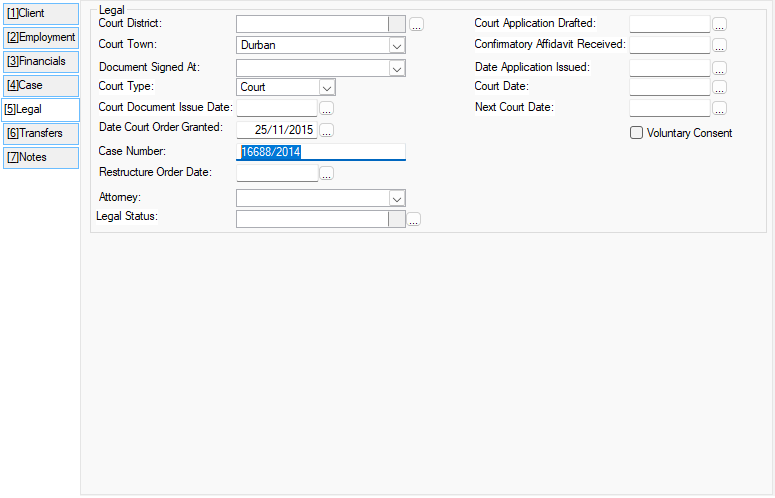
- Increased Case Number character count.
Form 17.3 and Form 17.5: - Removed "Your Reference" field.
- Fixed issue where Help button referenced incorrect file.
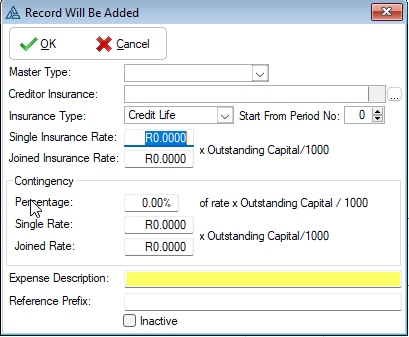
- Insurance Parameters - Changed the Rate per 1000 to accommodate 4 decimal places.
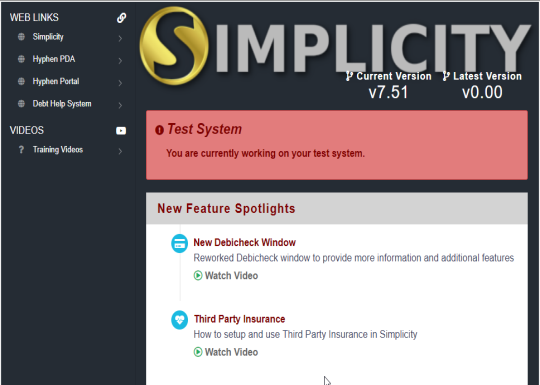
Home/Landing Page: - Updated design and contents - Added latest release version with version comparison.
Various bug fixes and performance enhancements.
|
|
Date Capture: -Changed date capture function for applicant and spouse birth date. -When manually capturing the date when the short capture option is used for capturing the date the determination of the century have been modified to make it simpler.
-Added feature to create proof of send for DREX web service communications.
|
|
-Added "Account Holder" column indicating "Self", "Spouse", or "Both"
-Removed "Additional fees for Deferred Payments" from the budget section and split Pro-Rata amongst the Deferred/Un-Proposed accounts
-Added security to all fields of the Un-Proposed Form -Added "Cover Owner" field that indicates "Self", "Spouse", or "Both" to the Cover form
-Added security to the "Inactive" check-box.
Added function to override Aftercare Fees
|
|
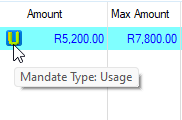
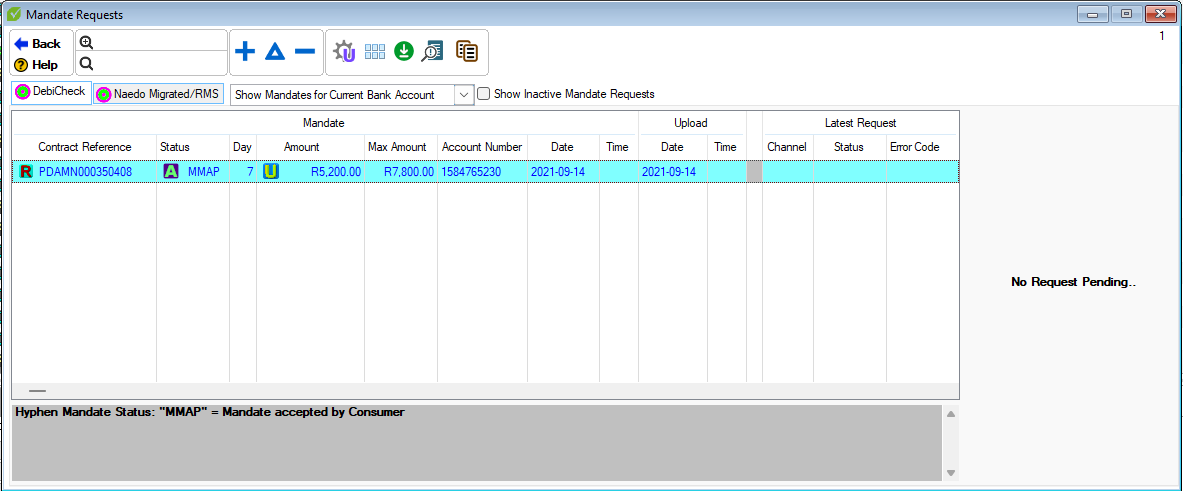
-Columns have been rearranged and grouped into 2 main sections - "Mandate" and "Latest Request", this differentiates between the actual mandate that has been accepted and any change requests that have been uploaded to Hyphen -Added icons for "Fixed" and "Usage" types
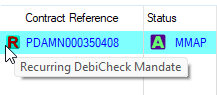
-Added icon for "Recurring" mandates
-Added Max Amount column -Mandate statuses are updated every 10 seconds while window is open and pending mandate requests exist -Added "Show Inactive Mandate Requests" button that displays all the previous mandates or requests that are no longer active -Added "Latest Request Detail" section -This displays the detail of the latest change request uploaded for the selected mandate -Any errors on the request are displayed in this section -All value changes that have been requested will be indicated in orange -This section is cleared once the request is approved
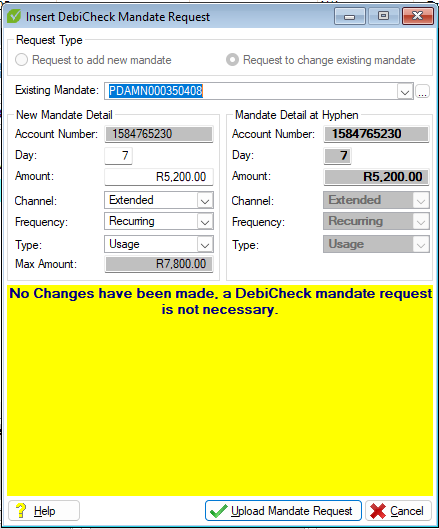
DebiCheck mandate request window: -Existing mandates can now be changed -Added "Existing Mandate" field when changing a mandate which allows a user to make changes to a specific active mandate -Added "Channel", "Frequency" and "Type" fields to the "Mandate Detail At Hyphen" section
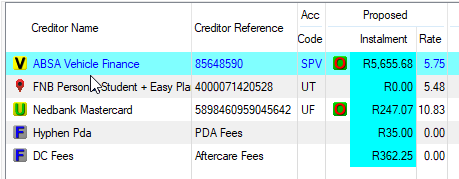
-Added "Rate" column that indicates the rate being applied to the obligation for credit life insurance replacement
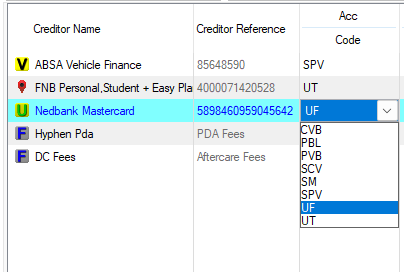
Third Party Insurance Parameters: -Added "Override Account Code" option to the "Override Credit Provider Insurance" window which allows insurance rate overrides to account types such as "UT", "UF", "SPV" etc.
|
|
Third Party Insurance (SandBox): -Added an Enable Third Party Insurance tick box on the Sandbox. This will insert all third party insurance amounts.
-Added an Edit Third Party insurance tick box on the sandbox. This will allow you to change the third party insurance amounts.
-Added an Toggle Third Party insurance Acceptance toggle on sandbox. This will accept all third party insurance amounts.
-Added source reference field in client form to be used for storing external reference numbers.
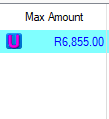
-Added max amount field to debicheck mandate form for usage based mandates.
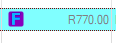
-Added max amount t colomn to debicheck window. -Added Icons for usage or fixed based mandates to debicheck window.
-Changed mandate type on debicheck form to remember previously selected mandate type. -Changed when adding a new debicheck from payment plan move dates will be taken into account.
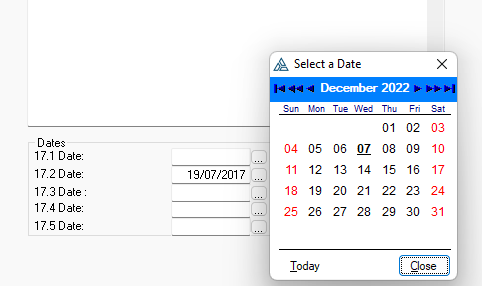
-Allowed for editing form 17.x dates on client obligation form.
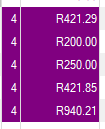
-Added column on client obligations that displays period number of when creditor will receive there first payment.
-Fixed reference validation icon not displaying correctly on client obligation form.
-Fixed mandate type filters -Fixed status icon on browse for No mandate for next collection
-Fixed reference validation icon not displaying correctly on client obligation form. -Feature added for no payments to creditors in month 3.
-Changed display ribbon on client form to display if creditor payments is not received in month 3.
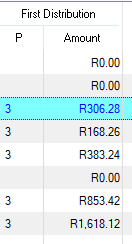
-Added field showing first distribution amount received by creditors excluding linked insurance values. -Change, Proposal report changed when there is counters or reworks on a DCRS proposal to display as customized proposal. This change is , due to feedback received from credit providers.
|






|
- Added new statuses and filters on the client browse when uploading a client to Hyphen:
- Added a "_t" after a client's ID number when the client has been terminated
|

|
-Fixed bug where "Send To" feature would not take the search field into account -Added new filter to the browse where the clients can be viewed per consultant type - Fixed bug where "No Matching Mandate For Next Strike" was not taking Once-Off Mandates into account - Added Cell Number, Tel Number and email address to the default search columns - Removed legacy CRM button from the Task List tab
Mandate Requests browse: - Added Type column which indicates Hyphen's response to the mandate request, Amend, Create, No Change
- Fixed bug where terminated clients were included in the active leads filter
- Fixed bug where call recipient was not being recorded
Action Generation: - Updated the required and read only feature (Orange check and Red check) as not to restrict the user unnecessarily - Fixed bug where searching for an action would sometimes remove certain communication types
- Action - Inserted a "Read Only Content" check-box which will enable the editing of an action communication when generating the action - Added new action called "Hyphen Payment Notification" which will draw a report, per client creditor, outlining the payments made by Hyphen to that creditor
- Fixed bug where WhatsApp number was not displaying - Fixed bug where ordinal numbers would not order correctly - Fixed bug where sub-tables were returning a "NoneType" error Mail Merge - Added new fields: - Notes for Income - Notes for Deductions - Mandate Table - Nature of Change in Circumstances - Reason for Change in Circumstances - Dependent ID Number - Dependent Date Of Birth - Dependent Gender
- Report Return Email Addresses - Fixed bug where Form 17.5 would take the Form 17.1 email address
- Increased the size of the Legal Description filed from 50 to 255
|
|
Fixed issue where the number of clients selected would be 555 when creating the batch from the client browse
Consultants - Fixed bug where inactive users could be selected when inserting/updating the client's consultants When running bureau Check, if previous Bureau check was successful for the client, the client ID field will no longer be required Added Legal tab and moved all court dates and related fields to that tab ·Statutory Deductions (total deductions with category "Statutory Deduction") ·Employer Deductions (total deductions with category "Employer Deduction") ·Income (total income with category "Income") ·Other Income (total income with category "Other Income") ·Household Expenditure (total expenses with category "Household Expense") ·Financial Expenditure (total expenses with category "Financial Expense") ·Excluded PDA Expense (total unproposed expenses) ·Mail Merge - Added new fields: ·Added Note field on expenses ·Added Revised amounts for all budget records ·Added Categories for all budget records §Mail Merge - Added New fields: Obligation Table: Current Balance CF Current Balance CF Date Current Balance BF Current Balance BF Date.
§Added description below Collection type field which displays the nature of the client's mandate.
§ Added extra column for RMS/Migrate status.
§"Days" column now starts count from 0 instead of 1, Count limit on Client browse is now 360 - No count limit on leads. §Client Mandates - Added "Naedo Migrated/RMS" tab - Updated icons to match the icons on the client browse.
§Payment Plan - "Plan At Hyphen" Collection Date will be marked as green on plan if the date has been changed by Hyphen due to Hyphen's "Move Date" feature. §Filters - Active Clients - Collection Type - Added filters for RMS and Naedo Migrated.
§Filters - Added "Obligation Status" in order to filter clients who have an obligation with the status selected.
§Document Vault - Updated the process of adding documents. §Generate Ticket - Updated Window to include new features, updated name to "Generate Action For Client"
§Generate Action For Client - Added "Action Filters" Buttons which will display only actions which have the selected Communication Type
§Generate Action For Client - Added a Filter Tree which will further filter the actions according to the selected tickets and/or process
§Generate Action For Client - Added Action Notifications box which will display errors/updates/instructions for the action process
§Generate Action For Client - Added red highlight to action recipients and communication recipients when errors prevent the communication from being generated for the specific recipient
§Generate Action For Client - Multiple Actions (limited to one of each communication type) can be generated at the same time and (By use of the "Execute All" button) sent together or separately.
§Generate Action For Client - Added "Trash All" button that allows a user to discard all generated actions, this will also start the Action generation process.
§ Generate Action For Client - Multiple Actions will be displayed in an accordion format where each action accordion pane can be expanded and collapsed in order to edit and/or execute the actions separately if desired. §Generate Action For Client - Added a status icon to each Accordion Pane Header which indicates the status of each Action. §Generate Action For Client - Updated the various action windows to include a new editor for the action body.
§Document Types - Added a Filter Tree.
§Document Types - Added Refresh Button.
6. Search colours and refresh buttons:
§Document Types - Added colours to headers when using the search and sort function.
§Contacts (Including the Tabs within the browse) - Added colours to headers when using the search and sort function.
§(Including the Tabs within the browse) - Added Refresh Button.
§Document Vault - Added Refresh Button.
§ Audit trail - Added colours to headers when using the search and sort function.
§Audit trail - Added Refresh Button.
§Document Vault - Added colours to headers when using the search and sort function.
§Client Browse - (Including the Tabs within the browse) - Added colours to headers when using the search and sort function.
§ (Including the Tabs within the browse) - Added Refresh button.
§ Added "Policy Number" Field for Unproposed obligations.
§ Added new option for 3rd Party Insurance - "Disable Cascade Reduction" which will stop the 3rd Party Insurance installment from reducing on the actual payment plan as insured obligations cascade (Paid-Up).
|


|
Fixed issue where the number of clients selected would be 555 when creating the batch from the client browse
Consultants - Fixed bug where inactive users could be selected when inserting/updating the client's consultants When running bureau Check, if previous Bureau check was successful for the client, the client ID field will no longer be required Added Legal tab and moved all court dates and related fields to that tab ·Statutory Deductions (total deductions with category "Statutory Deduction") ·Employer Deductions (total deductions with category "Employer Deduction") ·Income (total income with category "Income") ·Other Income (total income with category "Other Income") ·Household Expenditure (total expenses with category "Household Expense") ·Financial Expenditure (total expenses with category "Financial Expense") ·Excluded PDA Expense (total unproposed expenses) ·Mail Merge - Added new fields: ·Added Note field on expenses ·Added Revised amounts for all budget records ·Added Categories for all budget records §Mail Merge - Added New fields: Obligation Table: Current Balance CF Current Balance CF Date Current Balance BF Current Balance BF Date.
§Added description below Collection type field which displays the nature of the client's mandate.
§ Added extra column for RMS/Migrate status.
§"Days" column now starts count from 0 instead of 1, Count limit on Client browse is now 360 - No count limit on leads. §Client Mandates - Added "Naedo Migrated/RMS" tab - Updated icons to match the icons on the client browse.
§Payment Plan - "Plan At Hyphen" Collection Date will be marked as green on plan if the date has been changed by Hyphen due to Hyphen's "Move Date" feature. §Filters - Active Clients - Collection Type - Added filters for RMS and Naedo Migrated.
§Filters - Added "Obligation Status" in order to filter clients who have an obligation with the status selected.
§Document Vault - Updated the process of adding documents. §Generate Ticket - Updated Window to include new features, updated name to "Generate Action For Client"
§Generate Action For Client - Added "Action Filters" Buttons which will display only actions which have the selected Communication Type
§Generate Action For Client - Added a Filter Tree which will further filter the actions according to the selected tickets and/or process
§Generate Action For Client - Added Action Notifications box which will display errors/updates/instructions for the action process
§Generate Action For Client - Added red highlight to action recipients and communication recipients when errors prevent the communication from being generated for the specific recipient
§Generate Action For Client - Multiple Actions (limited to one of each communication type) can be generated at the same time and (By use of the "Execute All" button) sent together or separately.
§Generate Action For Client - Added "Trash All" button that allows a user to discard all generated actions, this will also start the Action generation process.
§ Generate Action For Client - Multiple Actions will be displayed in an accordion format where each action accordion pane can be expanded and collapsed in order to edit and/or execute the actions separately if desired. §Generate Action For Client - Added a status icon to each Accordion Pane Header which indicates the status of each Action. §Generate Action For Client - Updated the various action windows to include a new editor for the action body.
§Document Types - Added a Filter Tree.
§Document Types - Added Refresh Button.
6. Search colours and refresh buttons:
§Document Types - Added colours to headers when using the search and sort function.
§Contacts (Including the Tabs within the browse) - Added colours to headers when using the search and sort function.
§(Including the Tabs within the browse) - Added Refresh Button.
§Document Vault - Added Refresh Button.
§ Audit trail - Added colours to headers when using the search and sort function.
§Audit trail - Added Refresh Button.
§Document Vault - Added colours to headers when using the search and sort function.
§Client Browse - (Including the Tabs within the browse) - Added colours to headers when using the search and sort function.
§ (Including the Tabs within the browse) - Added Refresh button.
§ Added "Policy Number" Field for Unproposed obligations.
§ Added new option for 3rd Party Insurance - "Disable Cascade Reduction" which will stop the 3rd Party Insurance installment from reducing on the actual payment plan as insured obligations cascade (Paid-Up).
|