Note and Report Dates
|
Navigation: The User Interface > What is in Simplicity > Toolbar > Clients (Browse) > Client Dashboard > Obligations > Obligation Form > Note and Report Dates |
oThis form allows the user to insert a note and form 17 dates for the obligation record.
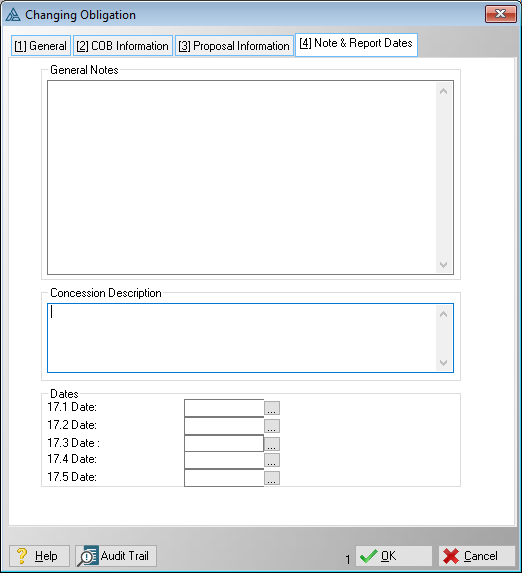
This is an example of the Note and Report Dates tab
 The following can be found on the window:
|
·Note: oAllows the user to insert general notes for the obligation record.
·17.1 Date: oThis field allows the user to insert the date that will appear on the Form 17.1 as the signed date, if no date is inserted, one will be inserted on the date that the report is either emailed or saved as a CRM record.
·17.2 Date: oThis field allows the user to insert the date that will appear on the Form 17.2 as the signed date, if no date is inserted, one will be inserted on the date that the report is either emailed or saved as a CRM record.
·17.3 Date: oThis field allows the user to insert the date that will appear on the Form 17.3 as the signed date, if no date is inserted, one will be inserted on the date that the report is either emailed or saved as a CRM record.
·17.4 Date: o This field allows the user to insert a date for the form 17.4 (now the Form 17.W), if no date is inserted, one will be inserted on the date that the report is either emailed or saved as a CRM record.
o17.5 Date: oThis field allows the user to insert the date that will appear on the Form 17.5 as the signed date, if no date is inserted, one will be inserted on the date that the report is either emailed or saved as a CRM record.
oConcession Text Box: oThis text box will be used on the NCT Draft Consent Order. |
General Features available in this window:
Ø Calendar
Ø Text Box