Third Party Insurance
|
Navigation: Simplicity Training > Third Party Insurance |
·This section will provide the user with steps and information on how to use "Third Party" credit protection insurance.
·Credit protection insurance is an insurance designed to pay off a client's debt if the client dies before paying off his or her debt.
·Third party insurance is one amount that contains the sum of all the obligations' third party insurance amounts where selected.
·Third party insurance is not included in the proposal, but it will appear on the payment plan (Once the insurance obligation status has been changed to accepted) and budget.
·Once the a creditor is paid up on the payment plan, that creditor's insurance portion will be distributed pro rata amongst the other creditors and the insurance total will be reduced by that amount.
·There are a few steps involved in using third party insurance:
·The first step in using third party insurance is to make sure that the default rates on the insurance parameters are correct.
·The next step is to activate the insurance on the Proposal Sandbox, by clicking on the "Enable Third Party Insurance" check-box.
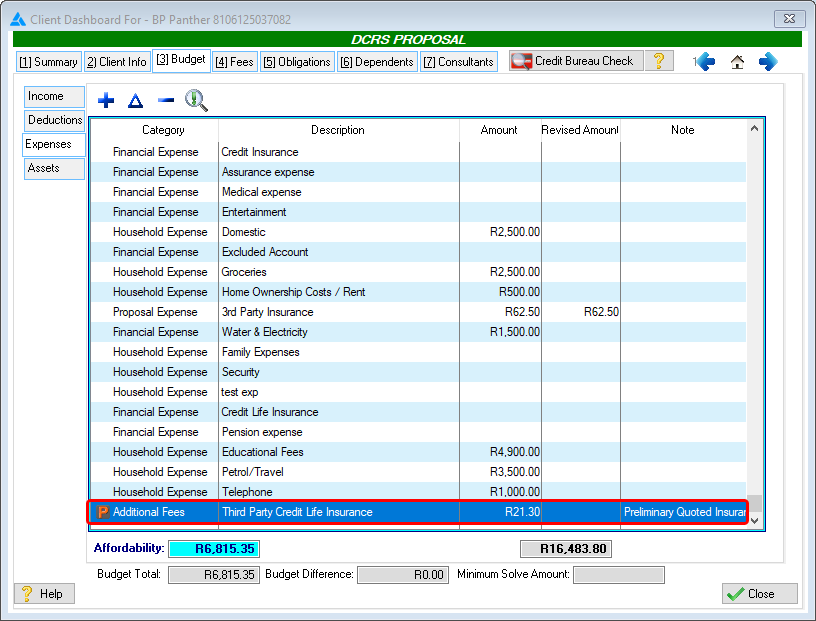
oA Preliminary expense called "Third Party Credit Life Insurance" will also be added to the budget.
§The preliminary expense amount is determined by the default rates set up on the insurance parameters.
oA Third Party Insurance obligation will be added to the list of obligations.
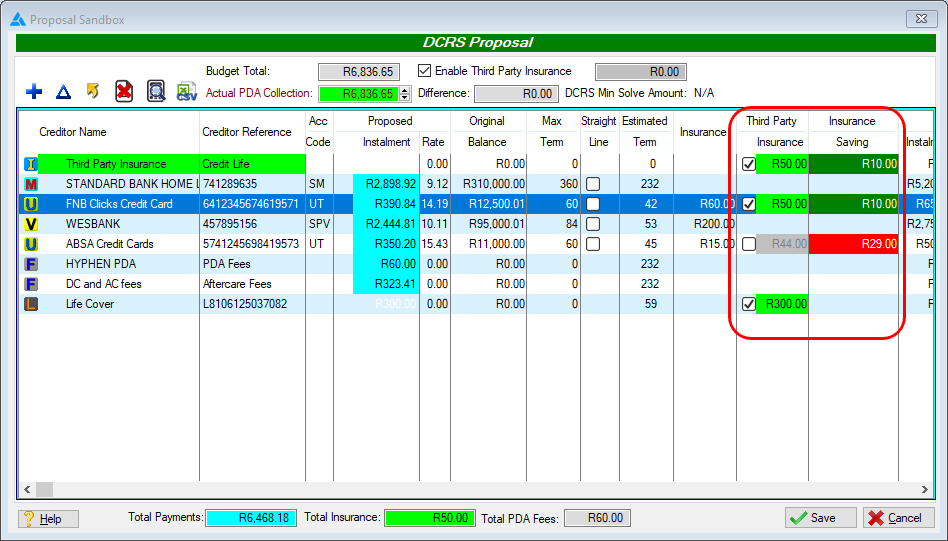
oTwo additional columns called "Third Party Insurance" and "Insurance Saving" will be displayed, along with check-boxes used to apply third party insurance to specific obligations.
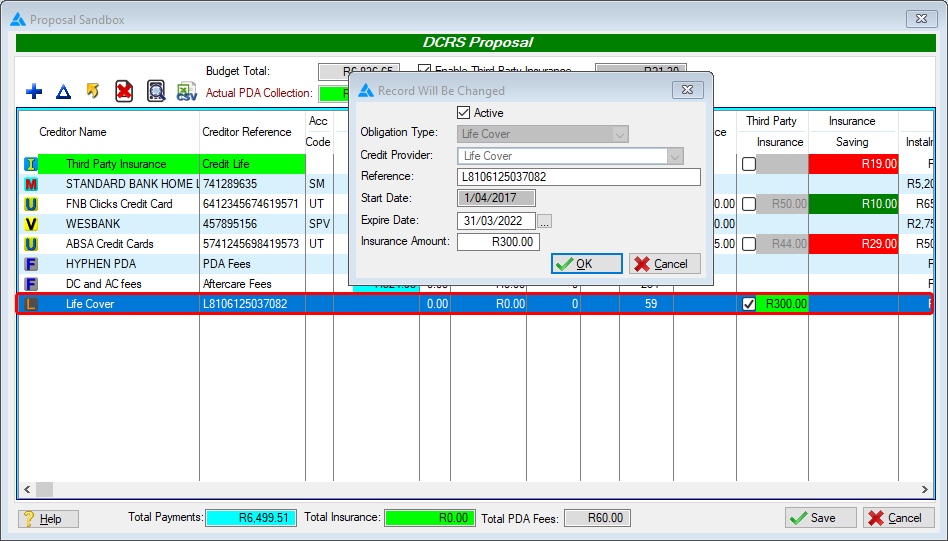
· An additional "Life Cover" obligation will be inserted if added on the insurance parameters.
·The next step is to activate the insurance Obligation and select the obligations for which third party insurance should be applied.
·The Sandbox can be closed once all desired insurance options have been selected.
·The updated obligation list will now display on the client's obligations browse.
oThe Third Party Insurance obligation will be inserted as "Insurance Quote Pending", this must be changed to "Insurance Quote Accepted" in order to apply the instalment to the actual payment plan and in order to change the client's proposal status to "Provisional"
Below is a list of detailed steps in activating third party insurance on a client:
 Enabling the Third Party Insurance:
|
· Go to the client's Proposal Sandbox by clicking on the
·Activate the Third Party Insurance by clicking on the "Enable Third Party Insurance" check-box.
·A Preliminary Quoted Insurance amount will then be calculated and subtracted from the client's affordability, this is to make provision for the projected third party insurance. oThe preliminary expense amount is determined by the default rates set up on the insurance parameters.
·A Third Party Insurance obligation will be added to the list of obligations.
·Two additional columns called "Third Party Insurance" and "Insurance Saving" will be displayed, along with check-boxes used to apply third party insurance specific obligations.
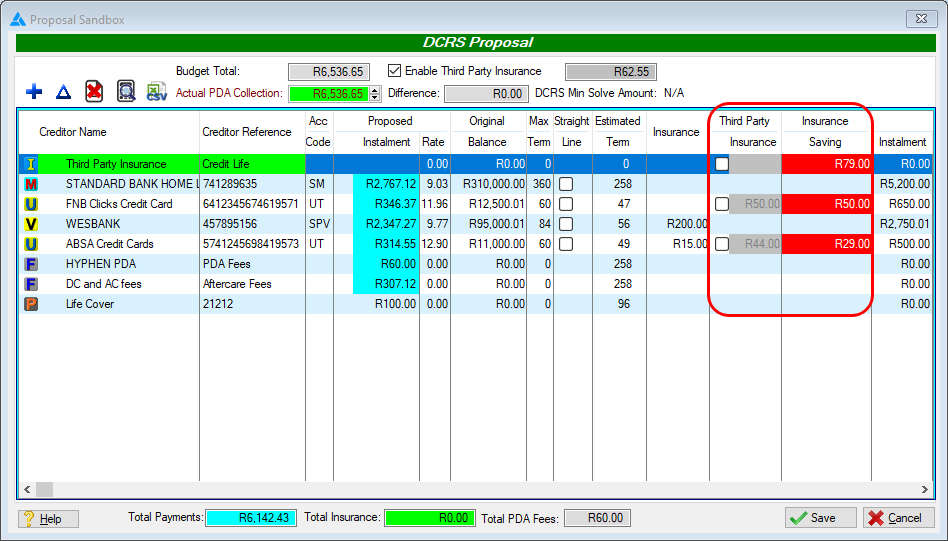
·An additional "Life Cover" obligation will also be inserted if added on the insurance parameters. oThis can be activated separately and the amount can be edited if desired.
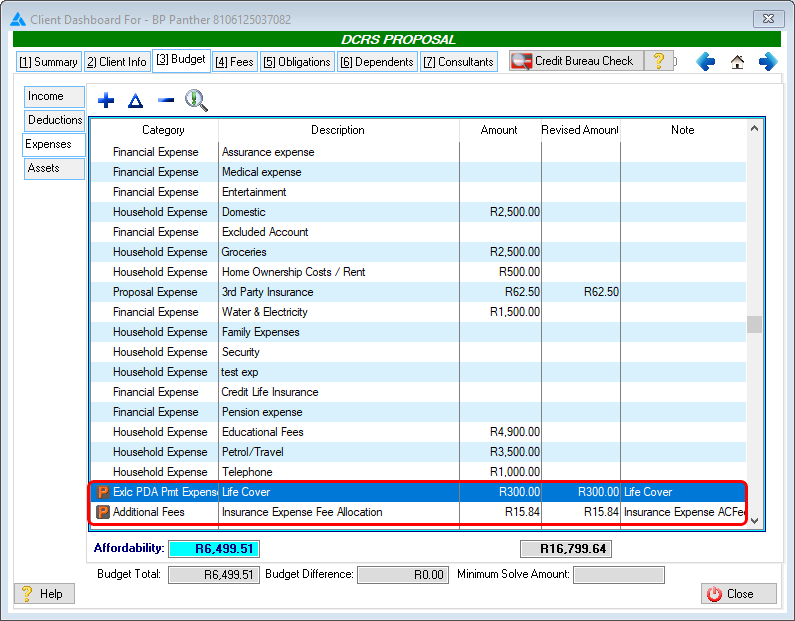
·If the Sandbox is closed at this point, a Preliminary expense called "Third Party Credit Life Insurance" will also be added to the client's budget. oThe preliminary expense amount is determined by the default rates set up on the insurance parameters. oThis expense will be updated if the third party insurance obligation has been activated on a later stage.
oThis Life Cover expense will be added along with an "insurance expense fee allocation" expense if activated on the sandbox. §This expense will be updated if the Life Cover insurance obligation is edited at a any stage on the sandbox.
|




Activating the Third Party Insurance Obligation:
|
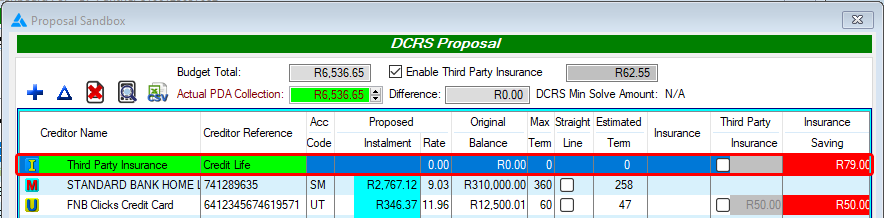
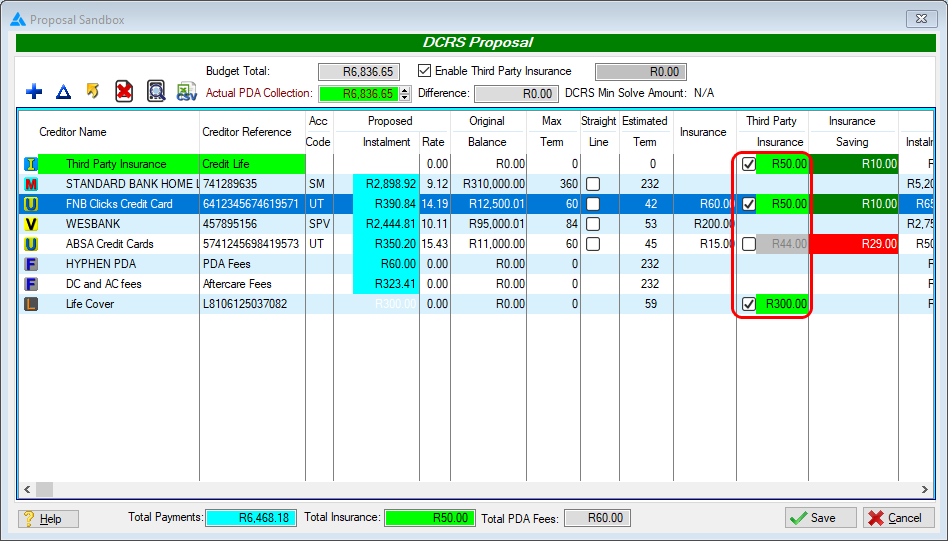
· Activate the insurance Obligation by clicking on the obligation's corresponding check-box.
oIf the Third Party Insurance obligation check-box is selected again it will change to an orange check-box, this indicates that the Third party insurance obligation will be inserted as "Insurance Quote Accepted".
·Once the Third Party Insurance obligation check-box is selected, all the client's obligations' check-boxes will be marked, these can be individually cleared as desired.
·The "Insurance Saving" column will indicate how much insurance the client will be saving by using third party insurance. oThe amount indicated is determined by subtracting the third party insurance amount from the linked insurance. §Red indicates that the third party insurance amount for that obligation is larger than the linked insurance. §Green indicates that the third party insurance amount for that obligation is lower than the linked insurance. oAll individual obligation's insurance saving amounts are totalled and indicated on the third party insurance obligation. ·The Sandbox can be closed once all desired insurance options have been selected. |

Finalising the Third Party Insurance:
|
·Once the Sandbox has been closed with all desired insurance options selected, the updated obligation list will now display on the client's obligations browse with all relevant insurance obligations added. ·The Third Party Insurance obligation will be inserted as "Insurance Quote Pending". ·A Third Party Insurance Expense will be added to the client's budget. oA Life Cover expense will also be added along with an "insurance expense fee allocation" expense will be inserted if activated on the sandbox. ·A Life Cover expense will also be added if this was activated on the sandbox. · The status of the third party insurance obligation must be changed to "Insurance Quote Accepted" in order to change apply the instalment to the actual payment plan and in order to change the client's proposal status to "Provisional" . ·A distribution will now be allocated to the insurance on the payment plan commencing on the "Start Date" of the client. |