|
Navigation: The User Interface > What is in Simplicity > Toolbar > CreditorsProgram Navigation: Simplicity > toolbar > Credit Providers |
·The Credit provider browse in Simplicity allows the user to manage and maintain all credit provider records on the Simplicity Database.
·This list is divided into 2 lists, Local Credit Providers and PDA Credit Providers.
·The local credit providers list is used when inserting an obligation for a client.
·The Credit provider browse also allows the user to link Local credit providers with PDA credit providers, a local creditor must be linked to a PDA creditor in order to upload the selected local creditor to Hyphen as a client's obligation.
·If a creditor is added to the local creditor list but has no corresponding PDA creditor, an application can be sent to the creditor to be completed and sent to the PDA, the creditor will then appear on the PDA list once all relevant documentation has been processed.
·If Multiple local creditors are linked to 1 PDA creditor, the linked local creditors can be merged into one local creditor
·A list of clients using a specific local creditor can also be viewed.

|
oLocal Creditors allows the user to insert a new creditor and all the creditor's details. oThe Local creditors can also be linked with the PDA creditors. oThe local credit providers list is used when selecting a creditor while inserting or changing a client's obligation record. oThe user can also add a selected credit provider from the Hyphen list and insert it directly into the local credit provider list without having to manually insert it. oWhen the user clicks on the link icon to the left of the local creditor name, the PDA creditor list will focus on a creditor name with the closest match to the local creditor name (if the local creditor is not linked to a PDA creditor), or the PDA list will focus on the linked PDA creditor (if the local creditor is linked to a PDA creditor)
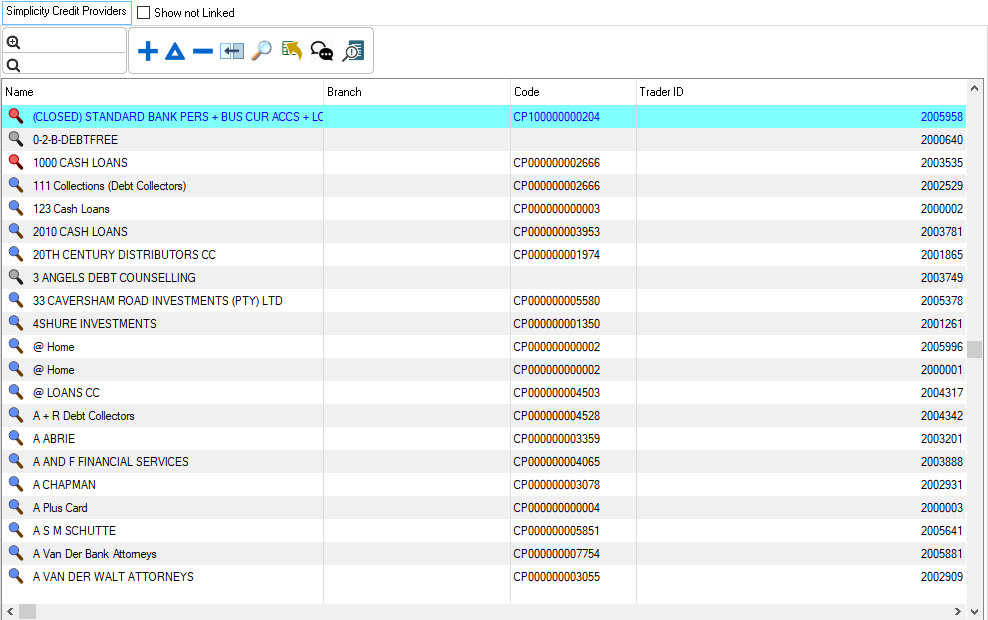
This is an example of the local creditors browse
|


|
oThe Hyphen credit providers list is updated by performing a Hyphen Download in Simplicity, this should be done regularly oThe user can also add a selected credit provider from the Hyphen list and insert it directly into the local credit provider list without having to manually insert it. oPDA creditors can be linked with Local creditors. oIn order for the PDA to make payments to the selected creditor, the PDA creditors must be linked with Local creditors.
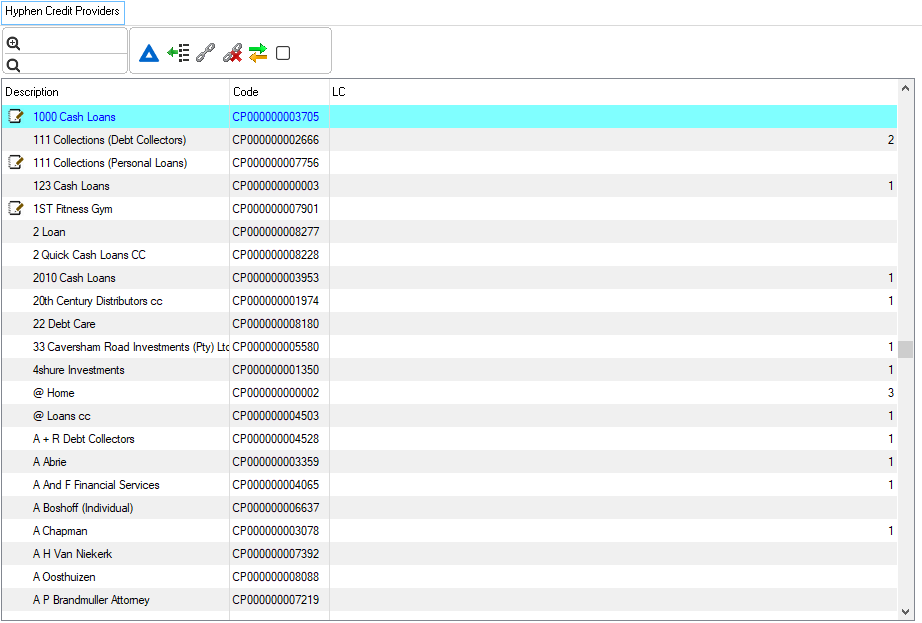
This is an example of the Hyphen credit providers browse
|


|
oThis toolbar allows the user to set up the security settings for feature or windows in Simplicity by clicking on the icon or feature that you want access granted or access denied. oThis will allow certain users to have access to certain features on the (*Subject*) browse.
This is an example of the Set Security Browse |