Clients
Program Navigation: Simplicity > toolbar > Credit Providers > Local Credit Providers Form > Clients
|
Navigation: The User Interface > What is in Simplicity > Toolbar > Creditors > ClientsProgram Navigation: Simplicity > toolbar > Credit Providers > Local Credit Providers Form > Clients |
oThis tab displays all clients currently using the selected local creditor as an obligation.
oBasic information such as the associated Clients' Initials, Surname, ID number as well as the obligation reference is displayed here.
oThe client can also be viewed from the Clients tab.
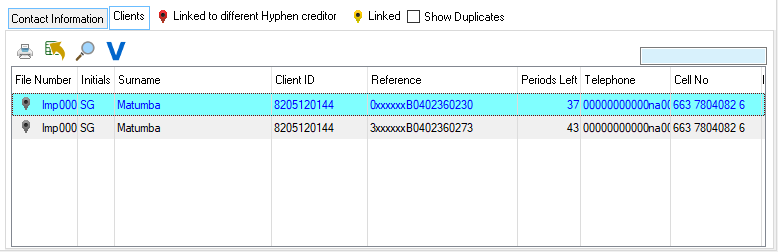
This is an example of the Clients browse
 The following can be found on the Client Legend
|
·Linked to different Hyphen Creditor: oThis indicates that creditor is linked to a different Hyphen creditor.
·Linked: oThis indicates that creditor is linked to a Hyphen creditor.
·Show Duplicates: oThis check box will allow the user to view any duplicate creditors. |