|
Navigation: The User Interface > What is in Simplicity > Toolbar > Leads (Browse)Program Navigation: toolbar > Leads Browse |
·The main purpose of the leads browse is to capture a prospective client and the client's details without any interruptions.
·The lead form has no mandatory fields, so the information can be saved even if you don't have all the leads information.
·The lead browse works exactly the same way the client browse, the only difference on the lead browse is that you can't upload a client.
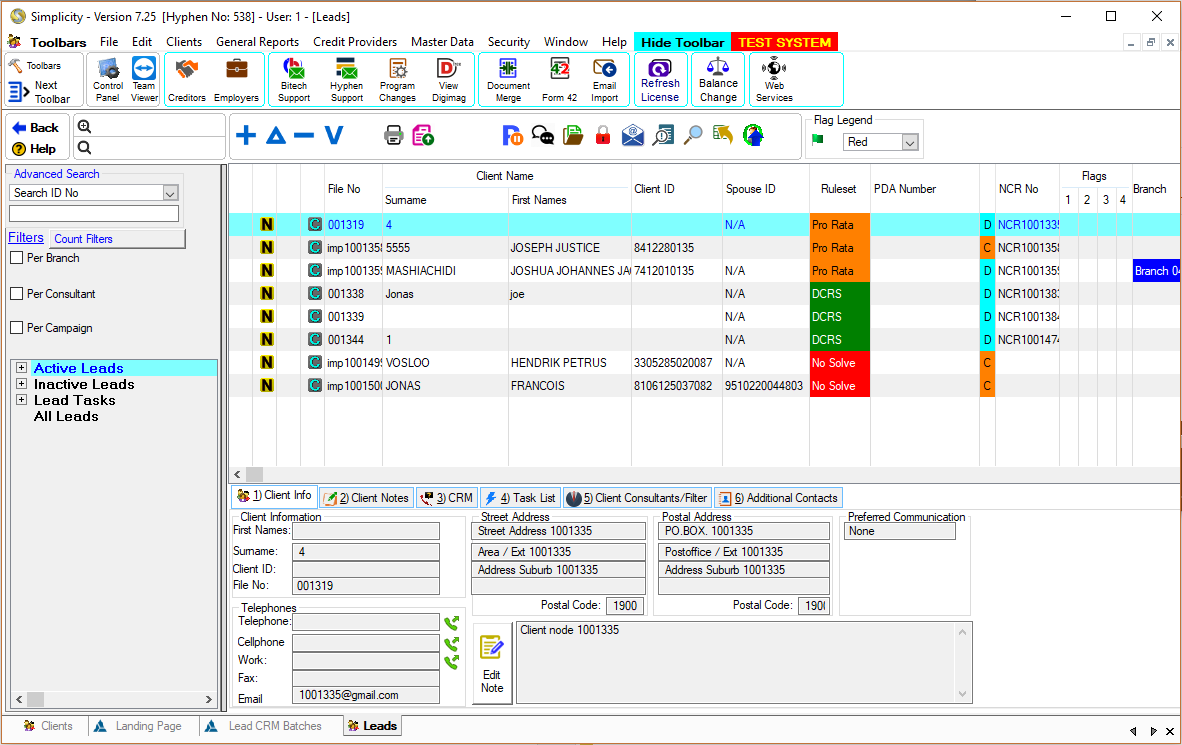
Click on the image to expand!
Click on the following headings to expand:

|
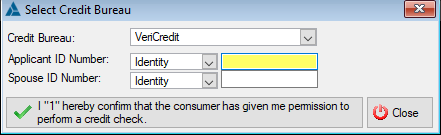
oThe client browse allows the user to insert a client by clicking on the insert control on the client browse, this will open a list where you can either add a new client by capturing the client's information or add a client from the credit bureau. oThe credit bureau option will insert basic information in the client form and the user can only ensure that the information is correct and add any missing information.
This is an example of the Credit bureau form
|

|





|
oThis toolbar allows the user to set up the security settings for feature or windows in Simplicity by clicking on the icon or feature that you want access granted or access denied. oThis will allow certain users to have access to certain features on the (*Subject*) browse.
This is an example of the Set Security Browse |