|
Navigation: The User Interface > What is in Simplicity > Toolbar > Leads (Browse) > ReportsProgram Navigation: toolbar > Clients > DC Reports |
·This control allows the user to print various debt counsellor reports such as the Form 17.1, Form 17.2, Proposal summary, Form 16, Hyphen consumer statement.
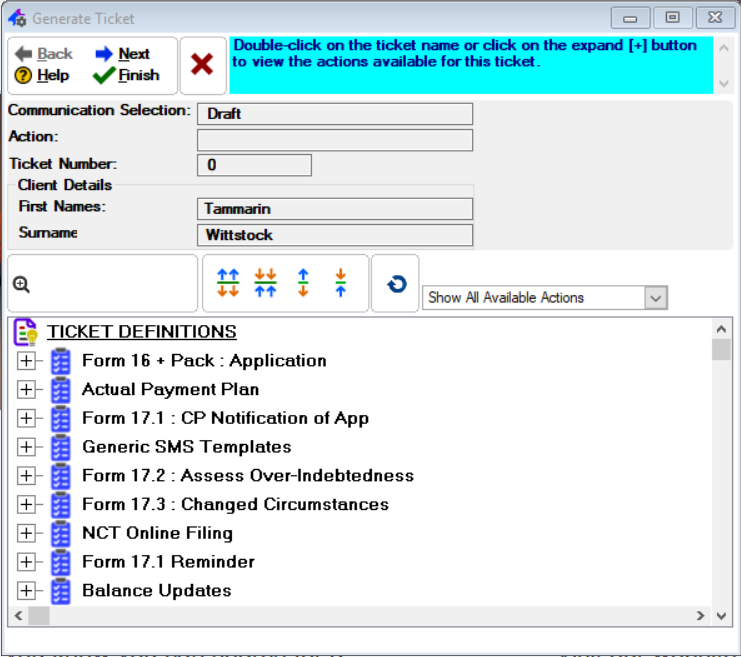
This is an example of the DC Reports window
The following Reports can be found on the DC Reports window:


|
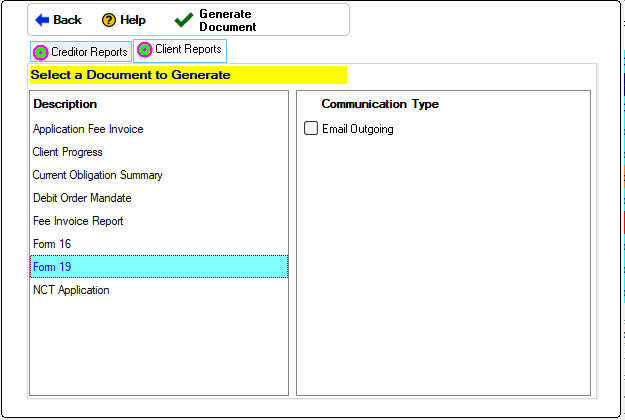
oThis window allows the user to print the client's clearance certificate. oIn order for the creditors to appear on the report as being settled in full the creditor's status must be changed to "Paid up". oThe client's "Date Court Order Granted" must be inserted in order to print this report. oThe last payment date on the report is determined by the last date on which the creditor received payment according to the payment plan. oThe full amount settled on the report is equal to the original balance inserted on the obligation form.
This is an example of the Form 19 Window
·Preview: oThis check box allows the user to display a preview of the client's clearance certificate. |
|
oThis window allows the user to print the Hyphen consumer statement. oThe report can also be printed per credit provider and/or for a specific amount of periods.
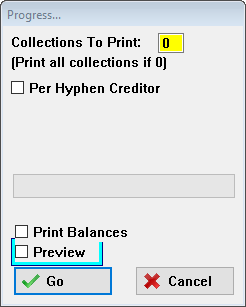
This is an example of the Hyphen Consumer Window
·Collections to print: oAllows the user to specify the amount of collections to print starting with the latest collection. oPrint all collections if 0
·Per Hyphen Creditor: oThis check box allows the user to select a client obligation for which to print the selected collections.
·Print Balances: oPrint balances will include a balance column for the newest collection.
·Preview: oThis check box allows the user to display a preview of the Hyphen Consumer Statement. |