|
Navigation: The User Interface > What is in Simplicity > Toolbar > Client BatchesProgram Navigation: Simplicity > toolbar > CRM Batches |
·Client Batches is a feature that allows a user to create a batch of clients for which a specified change or record should be made
·The batch parameters inserted or selected will indicate the details of the changes/records that will be made to/for the selected clients
·Once the batch is executed, all changes/records indicated in the batch parameters will be implemented
·The list of clients available can differ if the batch window is accessed using the "Batch from Filter" feature
·It is recommended that this feature is used olny by senior users as the batches created here can affect and upload the payment plans and client details of multiple clients at once
Click on the following headings to expand:

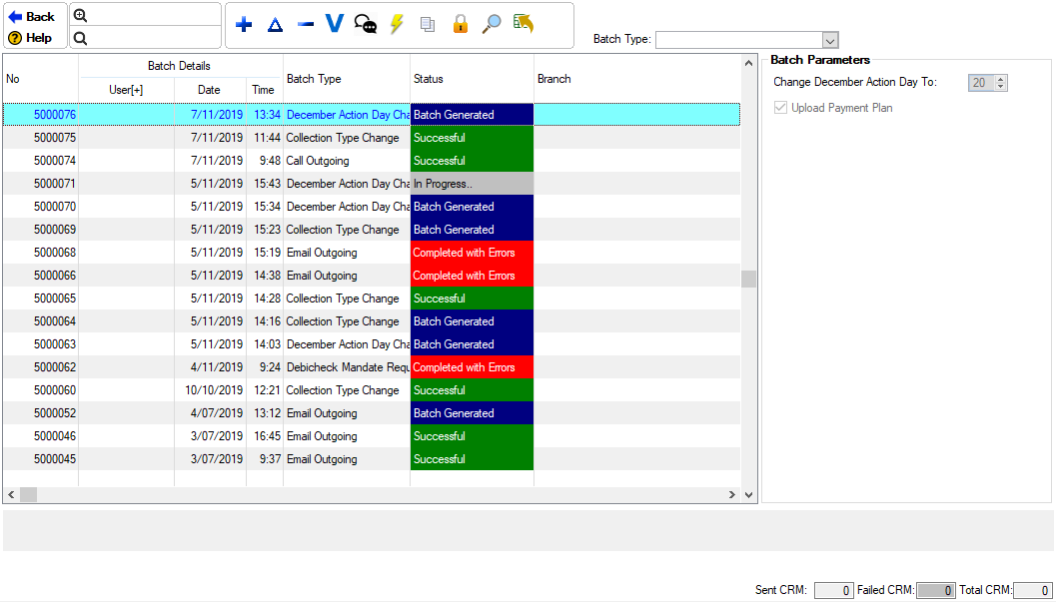
This is an example of the CRM Batch browse
|



|
oThis toolbar allows the user to set up the security settings for feature or windows in Simplicity by clicking on the icon or feature that you want access granted or access denied. oThis will allow certain users to have access to certain features on the (*Subject*) browse.
This is an example of the Set Security Browse |