Proposals
|
Navigation: Simplicity Training > Proposals |
·There are a few steps involved in building a proposal:
·The first step in creating a proposal is to set up a budget by adding all the client's income, expenses and deductions in order to obtain an affordability.
·The next step after obtaining an affordability amount is to insert the client's obligations in order to determine whether or not the proposal solves.
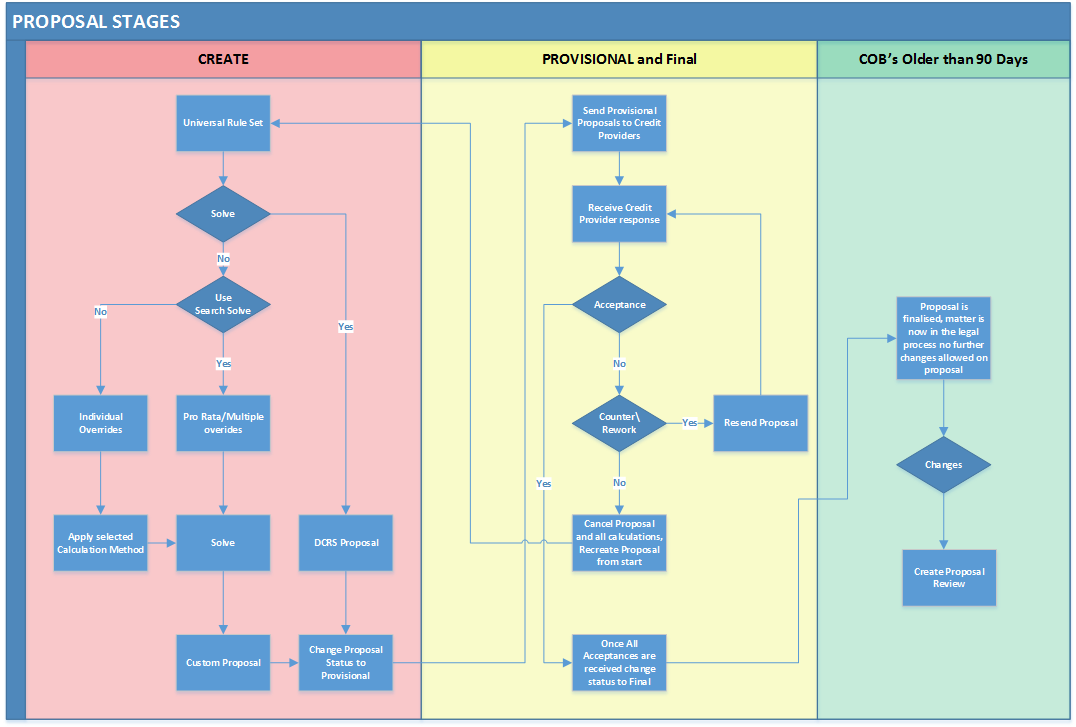
·The subsequent steps will make use of the proposal status feature in order to either find a solve, create/customise or counter a proposal.
ØThe Create status allows the user to find a solve as well as customise the proposal .
ØThe Provisional status allows the proposal to be countered.
Making use of the various calculator features available in each proposal status
 Creating a Proposal (Create Status)
|
·All obligations' proposed figures can be overridden in order to create a customised solve. ØOverriding all obligations' proposed figures will also lock the client's affordability on the new solve amount. ØIn order to save the client's proposal with this new locked affordability, simply adjust the client's budget in order to match the locked figure.
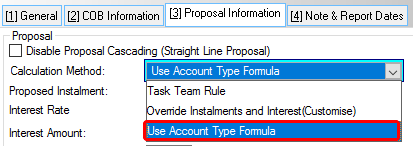
·Whether or not a solve is found or whether the user simply wishes to customise the proposal it can be done while the proposal status is on "Create" ·Customising the proposal includes the following: ØOverriding of the proposed Instalment and/or Interest Rate either ØManually
OR: ØBy use of the "Use Account Type Formula" feature.
ØThe "Search For A Solve" feature can also be used to expedite multiple changes, a Universal Rule solve can also be found using this feature.
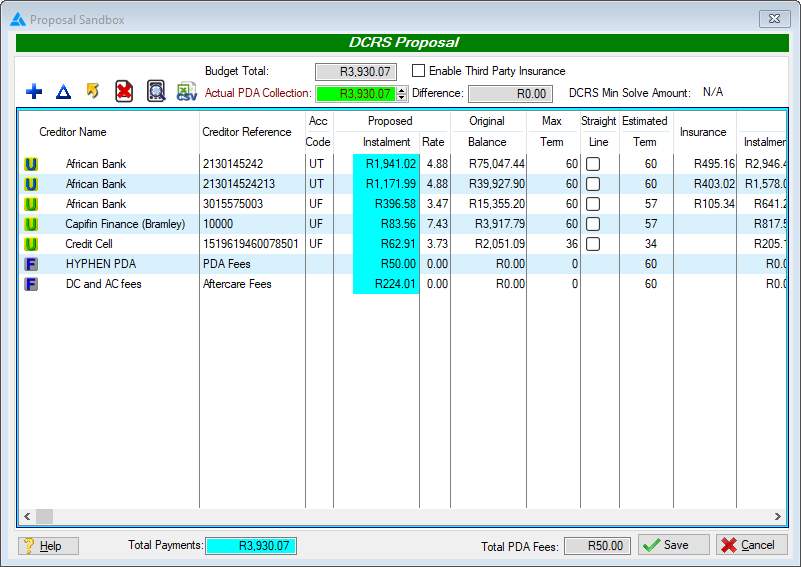
ØThe search for solve feature will also lock the client's affordability on the new solve amount. ØIn order to save the client's proposal with this new locked affordability, simply adjust the client's budget in order to match the locked figure. ·Customising a proposed figure affects the proposal as a whole and therefore a customised proposal cannot be compared with the DCRS central system and no ID will be received. ·Once all desired changes have been made and/or a solve has been found the proposal status can be changed to provisional in order to send the proposal out to the creditors. |
Countering a Proposal (Provisional Status and Final Status)
|
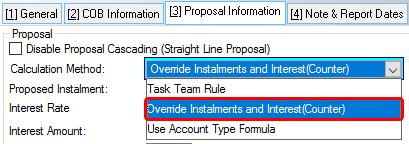
·The proposal can be countered while the proposal status is on "Provisional and Final " ·Countering the proposal includes the following: ØOverriding of the proposed Instalment and or Interest Rate manually. ØCountering a proposed figure affects only the overridden obligation and an adjustment to the client's affordability is made in order to compensate for this without impacting the other obligations. ØIn order to save the client's proposal with this new locked affordability, simply adjust the client's budget in order to match the locked figure.
|
|
·The user will only be allowed to make changes to the proposal within 90 days of the oldest COB date, thereafter a Proposal Reviewal must be inserted in order to make changes to the proposal. |
|
·The proposal stages flow chart allows the user to understand how to create a proposal and what the necessary steps are to get a solve.
|