Company Parameters
Program Navigation: Simplicity > Toolbar Frame > Master Data > Company Parameters
|
Navigation: The User Interface > What is in Simplicity > Main Menu > Master Data > Company ParametersProgram Navigation: Simplicity > Toolbar Frame > Master Data > Company Parameters |
·This form allows the user to insert or update the company information such as company name and NCR registration details as well as email and SMS provider settings used for sending emails and SMS messages directly from the Simplicity program, which is used in order to license the program and connect the program to the PDA.
·This windows also allows changes to program options which add or alter certain features available to the user.
·The Company Information will be used for reporting in simplicity such as the form 17.1, Form 17.2 and proposals.
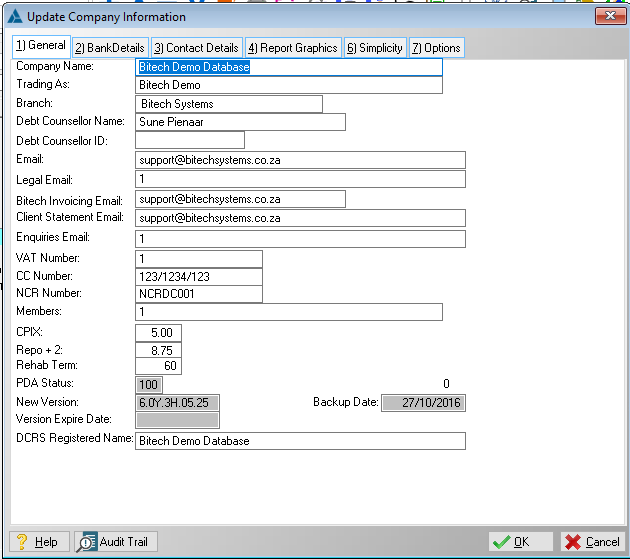
This is an example of the Company Parameters form.
The following Tabs can be accessed from the Company Parameters window and will be explained separately:
General Features available in this window:

Ø OK
Ø Cancel
Ø Form