Bank Details
Program Navigation: Simplicity > toolbar Frame > Master Data > Company Parameters > Bank Details
|
Navigation: The User Interface > What is in Simplicity > Main Menu > Master Data > Company Parameters > Bank DetailsProgram Navigation: Simplicity > toolbar Frame > Master Data > Company Parameters > Bank Details |
oThis form allows the user to capture the banking details of the company which is used when printing a completed Bitech Debit Order Mandate.
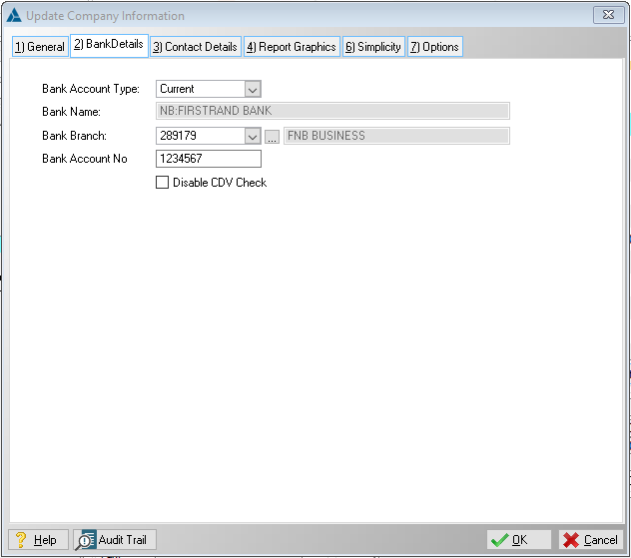
This is an example of the bank details form.
 The following fields can be found on the bank details window:
|
·Bank Account Type: oThis field allows the user to insert the company's account type.
·Bank Name: oThis field displays the company's bank name (Automatically inserted when a valid Bank branch is selected).
·Bank Branch: oThis field allows the user to insert the bank branch number, or to select the branch from a list (The bank branch name is inserted automatically when a valid Bank branch is selected).
·Bank Account No: oThis field allows the user to insert the company's bank account number. |
General Features available in this window:
Ø Look Up