Client Tickets
|
Navigation: The User Interface > What is in Simplicity > Toolbar > Clients (Browse) > Client Tickets |
·This window provides a consolidated list of client document templates available on the system.
·This window allows a user to perform various communication actions for the selected client.
·All Debt Review documents as well as the form 16 E-Sign can be found here.
·Communication methods such as Email, SMS and Calls can be accessed from this form.
·A preview of the selected communication template as well as the attached documents can also be accessed here.
Click on the link to expand the topic:
 The Following can be found on the Client Communication Browse
|
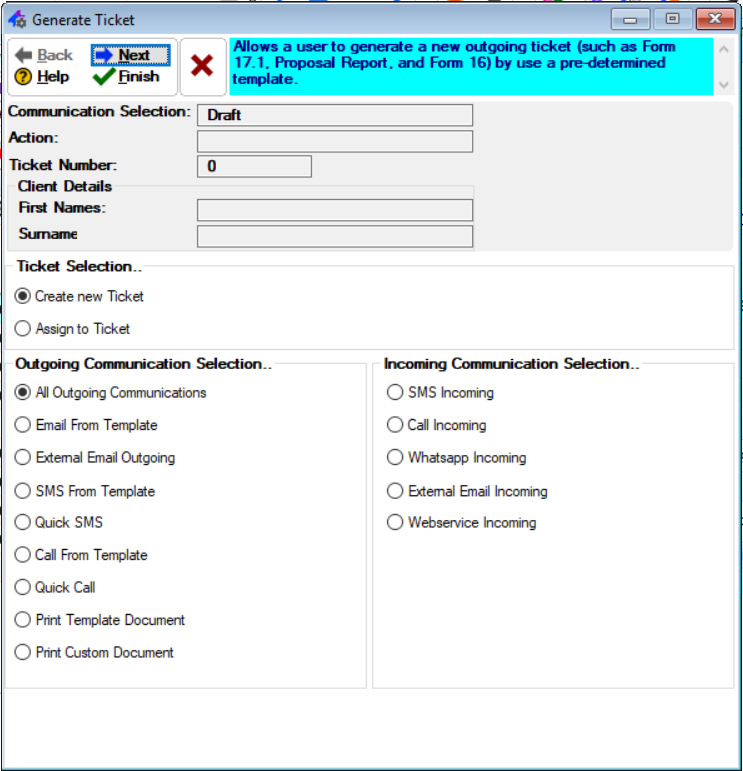
·Client Details: oThis will allow the user to insert the client details. §Eg: First Name and Surname.
·Ticket Selection: oThis will allow the user to select the action for the ticket.
·Outgoing Communication Selection: oThis will allow the user to select the format for the outgoing communication to be used.
·Incoming Communication Selection: oThis will allow the user to select the format for the incoming communication to be used. |
Click on the link to expand the topic:
The Following can be found on the Client Communication Browse
|
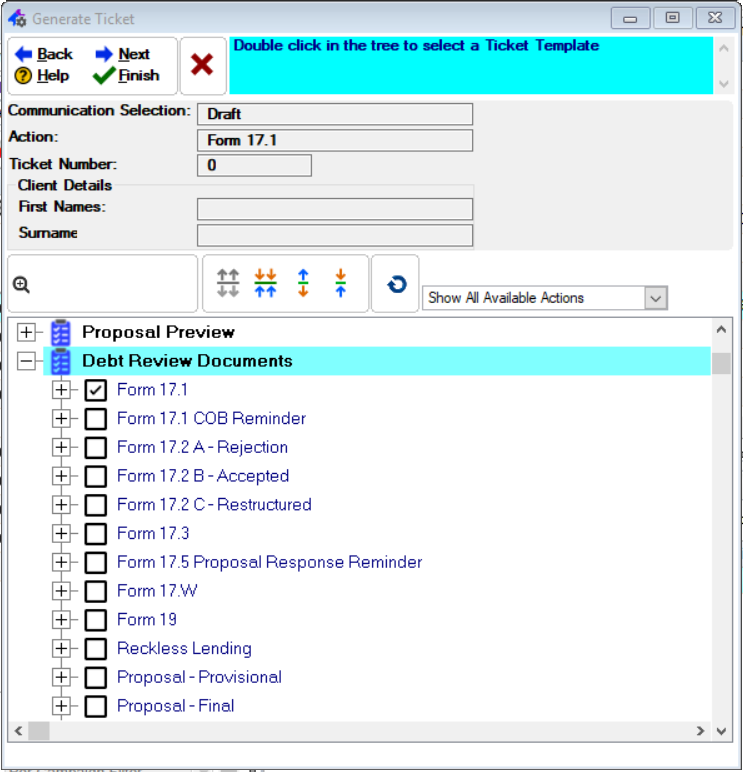
·Client Details: oThis will allow the user to insert the client details. §Eg: First Name and Surname.
·Ticket Definitions: oThis will allow the user to select an definition for the ticket. |
Click on the link to expand the topic:
The Following can be found on the Client Communication Browse
|
·Client Details: oThis will allow the user to insert the client details. §Eg: First Name and Surname.
·Ticket Definitions: oThis will allow the user to select an definition for the ticket. |