Telephone
Program Navigation: Simplicity > toolbar Frame > Master Data > Branches > Telephone
|
Navigation: The User Interface > What is in Simplicity > Main Menu > Master Data > Branches > TelephoneProgram Navigation: Simplicity > toolbar Frame > Master Data > Branches > Telephone |
oThis browse allows the user to insert one or more branch contact numbers.
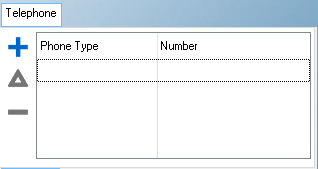
This is an example of the Telephone browse
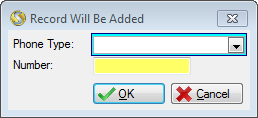
This is an example of the Telephone form
 Below is a list of fields available on the Telephone Form:
|
·Phone Type: oThis field allows the user to select the nature of the Number (e.g. Cell or Fax).
·Number: oThis field allows the user to insert a contact number for the selected branch. |
General Features available in this window:
Ø  Insert
Ø  Change
Ø  Delete
Ø Browse
Ø Forms
Ø OK
Ø Cancel