Addresses
Program Navigation: Simplicity > toolbar Frame > Master Data > Branches > Addresses
|
Navigation: The User Interface > What is in Simplicity > Main Menu > Master Data > Branches > AddressesProgram Navigation: Simplicity > toolbar Frame > Master Data > Branches > Addresses |
oThis browse allows the user to insert one or more branch addresses.
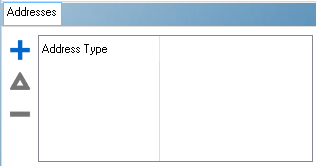
This is an example of the Addresses browse
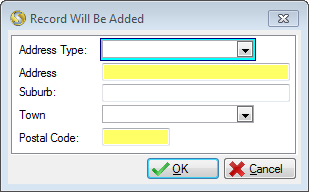
This is an example of the Addresses form
 Below is a list of fields available on the Telephone Form:
|
·Address Type: oThis field allows the user to select the type of address to be inserted for the branch (e.g. Street or Postal).
·Address: oThis field allows the user to insert the address details of the branch.
·Suburb: oThis field allows the user to insert a district for the branch.
·Town: oThis field allows the user to select a town where for the branch.
·Postal Code: oThis field allows the user to insert the Postal code for the branch.
|
General Features available in this window:
Ø  Insert
Ø  Change
Ø  Delete
Ø Browse
Ø Forms
Ø OK
Ø Cancel