Report Email Messages
Program Navigation: Simplicity > toolbar Frame > Master Data > Report Email Messages
|
Navigation: The User Interface > What is in Simplicity > Main Menu > Master Data > Report Email MessagesProgram Navigation: Simplicity > toolbar Frame > Master Data > Report Email Messages |
oThis browse allows the user to insert an email address for a specific report (such as the form 17.1, Form 17.2 and proposals)
§When printing/emailing these reports the following will happen:
·The inserted email will appear on the company details section of the report.
·The inserted email will be inserted as the "Reply To" email when sending the email.
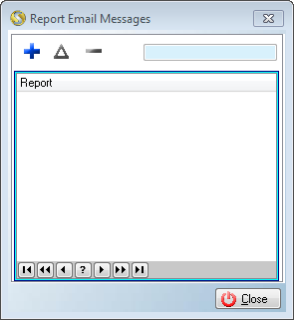
This is an example of the Report Email messages browse

This is an example of the Report Email messages Form
 These records can also contain merge fields:
|
·Report: oAllows the user to select a Debt counsel Report for which an email body must be made (e.g. Form 17.1, Form 17.2 and Form 16A).
·Merge Fields: oAllows the user to insert merge fields that will incorporate a client's data that is saved in the Simplicity database into the email body.
·Rich Text Editor: oAllows the user to make any formatting changes to the report email body. |
General Features available in this window:
Ø  Insert
Ø  Change
Ø  Delete
Ø Text Box
Ø OK
Ø Cancel