E-Sign Templates
|
Navigation: The User Interface > What is in Simplicity > Main Menu > Master Data > E-Sign Templates |
·This browse allows the user to insert an E-Sign Template, that will be used (sent via sms or email) to inform the client that he/she must sign the form 16.
·Templates can be used to create custom communications.
·Templates also contain Merge fields which are fields that the user can insert into a template to incorporate values from the selected client's data that is saved in Simplicity, this will insert the client's specific details rather than just a generic hello.
·These merge fields also contain a merge field that will insert the link that the client must click on to open the website to sign the form 16.
·The user can upload the finished template by clicking on the upload button
 on the E-sign browse.
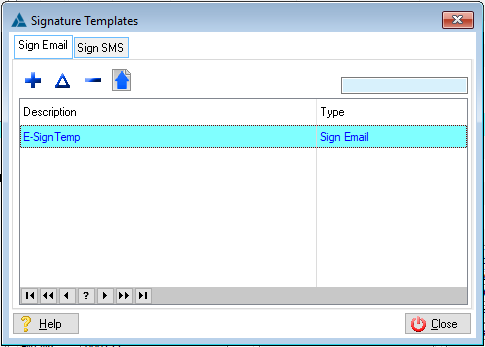
This is an example of the E-sign Template browse
The following tabs can be accessed from the e-sign templates window:
General Features available in this window:
Ø  Insert
Ø  Change
Ø  Delete
Ø Close