Generated Documents
|
Navigation: The User Interface > What is in Simplicity > Toolbar > Tickets > Generated Documents |
oThe Document CRM type allows the user to create a CRM record to which they can simply attach any document/file that relates to the Lead or Client.
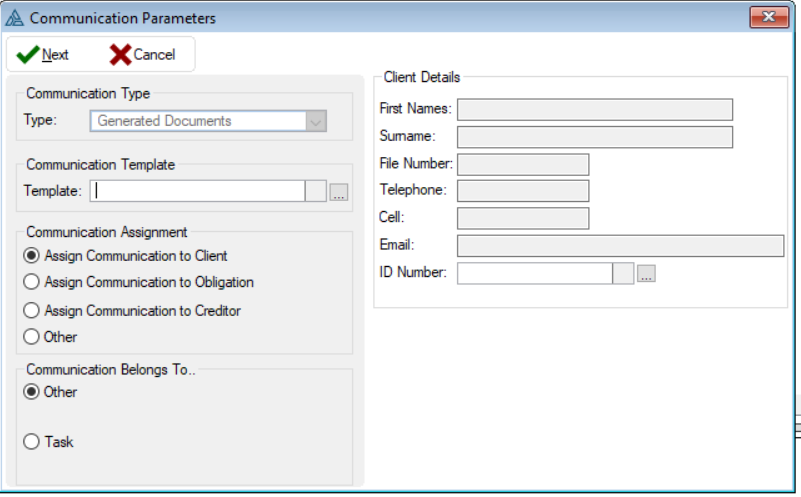
This is an example of the Generated Document form
 The following can be found on the Generated Documents Form:
|
·Type: oThis will display the type of communication that will be inserted.
·Assign Communication To Client: oAllows the user to assign the communication record to a client.
·Assign Communication To Obligation: oAllows the user to assign the communication record to an obligation.
·Assign Communication To Creditor: oAllows the user to assign the communication record to a creditor.
·Other: oAllows the user to assign the communication record to any other communication.
·First Names: oDisplays the first names of the selected client.
·Surname: oDisplays the surname of the selected client.
·File number: oDisplays the database file number of the selected client.
·Telephone: oDisplays the home number of the selected client.
·Cell: oDisplays the Cell number of the selected client:
·Email: oDisplays the email address of the selected client.
·ID Number: oAllows the user to select the client for which to create the CRM record (Automatically inserted if CRM record is added from the Client Browse CRM control).
|