File
Program Navigation: Main Menu > File
|
Navigation: The User Interface > What is in Simplicity > Main Menu > FileProgram Navigation: Main Menu > File |
·The file drop down list allows the user to set up their printer details.
·The user can also access the backup browse from this list in order to make a backup.
·The version history can also be viewed from this list to see any changes that was added to all the version and what changes are in the newest version.
·The merge document browse in the master data list can also be accessed from this list, to add any new document type.
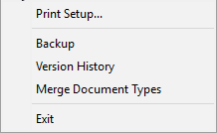
The following is an example of the File Drop Down list
Click on the following headings to expand:

|
oThis window allows the user to set up the printer details to print the reports in Simplicity.
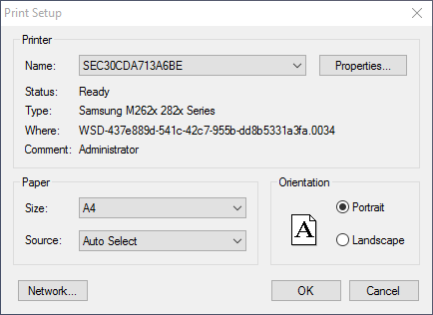
The following is an example of the printer setup window
|
