Clients
Program Navigation: Main Menu > Clients
|
Navigation: The User Interface > What is in Simplicity > Main Menu > ClientsProgram Navigation: Main Menu > Clients |
·This drop down list allows the user get access to the client browse on the control panel.
·The Client browse in Simplicity also allows the user to view all the clients in a list form with their basic information.
·A client can also be inserted from the client browse by using the insert control on the browse, it also allows the user to search and find a client to make any changes to the client by using the change control on the browse.
·Client records and plans are uploaded from the browse and the payment plans of the clients can be accessed from this browse. Client records can also be flagged here allowing the user to indicate if a client file falls within specified criteria.
·Other features can also be accessed from the client browse toolbar.
Click on the following heading to expand:


|
·The client email window allows the user to import their emails into Simplicity from an external program for example Outlook.
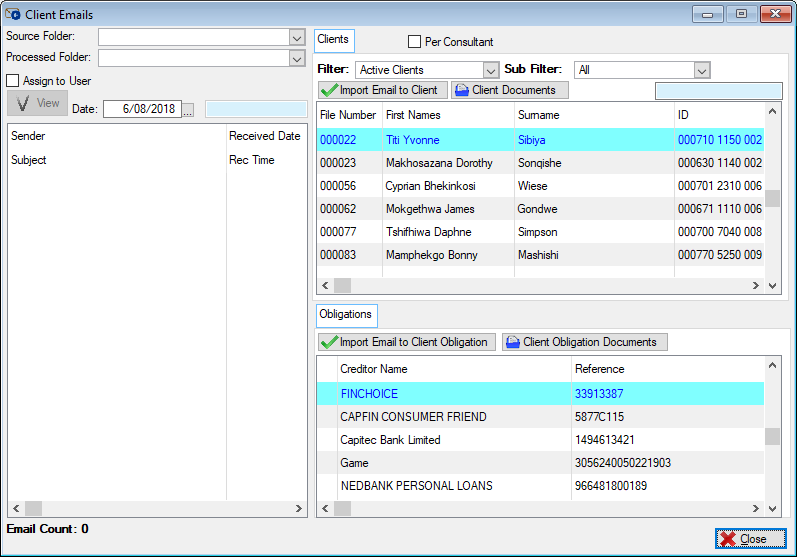
The following is an example of the Client email browse |
|
·This browse allows the user to view the Hyphen messages if there was an error on a upload to Hyphen. 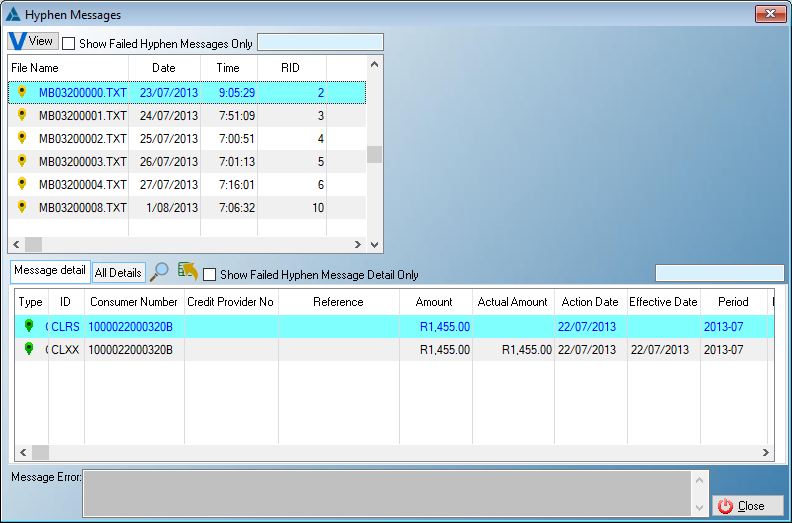
The following is an example of the Hyphen messages browse
oThis control allows the user to view the messages in a notepad.
oThis check box will only display the payment messages that failed.
oThis check box will only display the payment messages details that failed.
|



|
·This browse allows the user to send a debit order mandate to more than one client simultaneously. ·The user can either print the mandate or email the mandate to multiple clients.
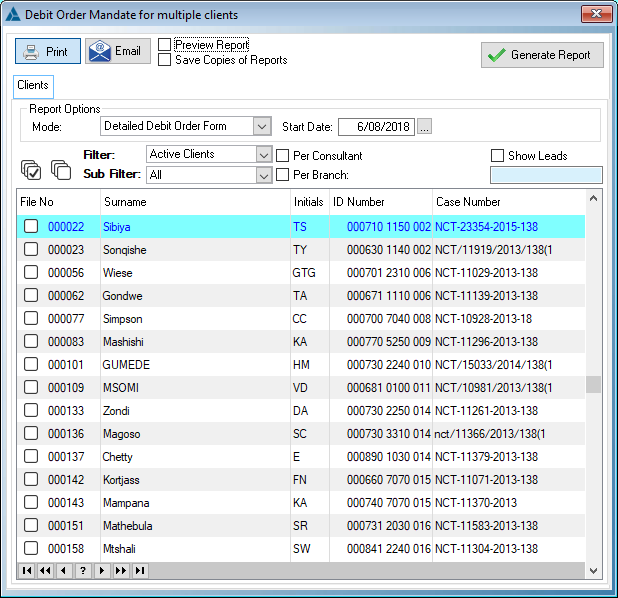
The following is an example of the multiple reports browse |