Client Phases
Program Navigation: Simplicity > toolbar Frame > Master Data >Master Tasks > Client Phases
|
Navigation: The User Interface > What is in Simplicity > Main Menu > Master Data > Master Tasks > Client PhasesProgram Navigation: Simplicity > toolbar Frame > Master Data >Master Tasks > Client Phases |
oAllows the user to maintain a list of Client Phases, these phases can determine which master tasks will be added to a client's tasks list if the master tasks are linked to a specific phase
oWhen all tasks of a specific phase are completed, the client moves to the next phase
oClient Phases can also determine the nature of the client record, Client or Lead, once the last task of all lead phases of a client is completed, the client will be automatically promoted to a Client status
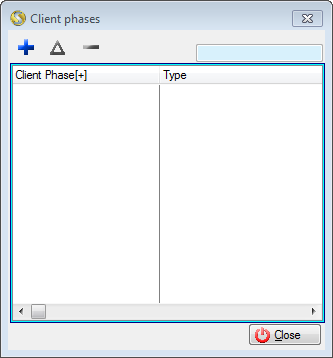
This is an example of the Client Phases browse
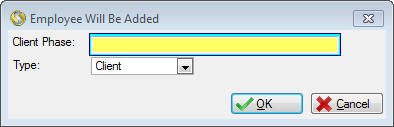
This is an example of the Client Phases form
 The following fields can be found in the Client Phases form:
|
·Client Phase: oAllows the user to insert the name of the phase.
·Type: oAllows the user to select the type of Phase for the record, client or lead, this will determine whether or not the task linked to this phase will be inserted automatically into a client's task list. |
General Features available in this window:
Ø  Insert
Ø  Change
Ø  Delete
Ø Browse
Ø Forms
Ø Sort
Ø OK
Ø Cancel