Batch Updates
|
Navigation: The User Interface > What is in Simplicity > Toolbar > Batch Updates |
·This window allows a user to create batches that can update multiple records on the database at once
·The feature makes use of a pre-formatted csv file in order to populate the list of records to be updated
·The nature of the update to be performed and the format of the required csv file is dependent on the type of batch selected.
·A Calc and Upload batch can also be created for the list of records updated through this feature.

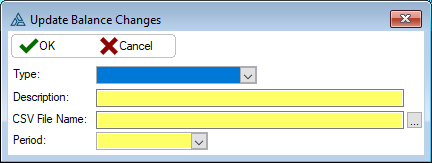
This is an example of the Balance Change control
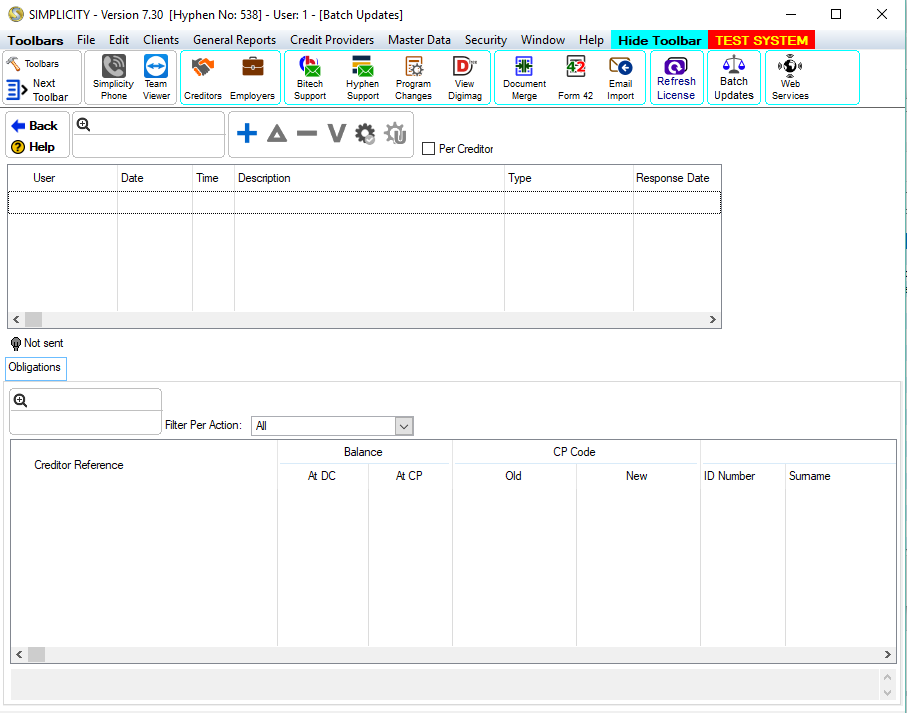
This is an example of the Balance Change transmission browse
 The following can be found on the Balance Change browse:
|
·Add Batch: oThis will allow the user to create batch containing the records that are to be updated. oThe csv file required will depend on what batch type is selected.
oType: §This allows the user to select the type of batch to be created. §The following types are available: ·Balance Change: oThis will create a list of client obligation records for which balance change records will be inserted. oOnly creditor records can be updated, fee records will be rejected. §Below is an example csv file outlining the columns and column order required for creating a "Balance Change" Batch. §Headers are for demonstration purposes only, headers must not be present in csv file.
§The following Columns are required in the Balance Change Batch Type: ·Client ID - e.g. 6703110000000 ·Hyphen CP Code - e.g. CP000000000040 ·Reference - e.g. 1459860959 ·Balance From CP - e.g. 45000
·Creditor Change: oThis will create a list of client obligation records for which the obligation reference and/or CP Code of the linked Hyphen Creditor will be updated. oOnly creditor records can be updated, fee records will be rejected. §Below is an example csv file outlining the columns and column order required for creating a "Creditor Change" Batch. §Headers are for demonstration purposes only, headers must not be present in csv file
oThe following Columns are required in the Creditor Change Batch Type: §Client ID - e.g. 6703110000000 §Hyphen CP Code - e.g. CP000000000040 §Reference - e.g. 1459860959 §New Hyphen CP Code - e.g. CP000000000050 §New Reference - e.g. 649825764
·Collection Type Change: oThis will create a list of client records for which the Collection Type will be updated. §Below is an example csv file outlining the columns and column order required for creating a "Collection Type" Change Batch. §Headers are for demonstration purposes only, headers must not be present in csv file
oThe following Columns are required in the Collection Type Change Batch Type: §Client ID - e.g. 6703110000000 §New Collection Type - e.g. Stop Order §Delivery Channel (If DebiCheck) - e.g. Delayed
oDescription: §This allows to user to insert a name for the inserted batch record.
oCSV File Name: §This allows the user to select a csv file from the disk which will be used to insert the records to be updated. ·The csv file must contain the required columns in the correct order, each column will contain values that will perform one of the following tasks: ·Locate the records in the database that need to be updated. ·Contain the values that need to be inserted/updated on the located records.
oPeriod (Available for Balance Change Only): §This will allow the user to select the period for which the new balance change records should be inserted.
·
oThis feature allows the user to view the csv file used to create the selected batch.
·
oThis feature allows the user to "execute" the selected batch, this will then insert the records/updates listed in the batch oThis feature also allows the user to revert/remove the changes/records created by the batch.
oThis feature will allow the user to create an "Upload Batch" file for the records updated/created in the Update Batch.
|