Campaigns
|
Navigation: The User Interface > What is in Simplicity > Main Menu > Master Data > Campaigns |
·This browse allows the user to insert an campaign.
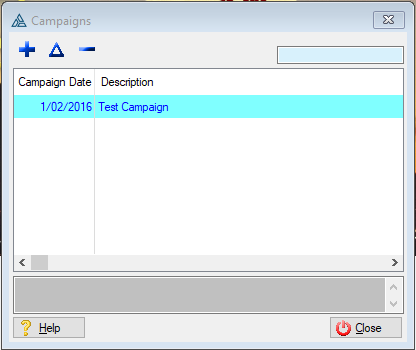
This is an example of the Campaign browse
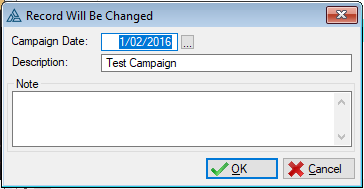
This is an example of the Campaign form
 The following fields can be found on the Campaign form
|
·Campaign Date: oThis field allows the user to select a date for when the campaign must start. ·Description: oThis field allows the user to insert a description for the campaign. |
Ø  Insert
Ø  Change
Ø  Delete
Ø Browse
Ø Forms
Ø OK
Ø Cancel
Ø Close