Addresses
Program Navigation: Simplicity > toolbar Frame > Master Data > Employers > Employer Info > Addresses
|
Navigation: The User Interface > What is in Simplicity > Main Menu > Master Data > Employers > Employer Info > AddressesProgram Navigation: Simplicity > toolbar Frame > Master Data > Employers > Employer Info > Addresses |
oThis browse allows the user to insert one or more addresses for the selected employer.
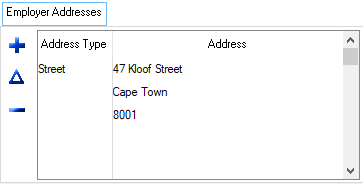
This is an example of the Addresses browse
 The following fields can be found in the Addresses tab:
|
·Address type: oThis field allows the user to select the type of address to be inserted for the employer (e.g. Street or Postal).
·Address: oThis field allows the user to insert the address details of the employer. |
General Features available in this window:
Ø  Insert
Ø  Change
Ø  Delete