Debt Help Statuses
Program Navigation: Simplicity > toolbar Frame > Master Data > Debt Help Statuses
|
Navigation: The User Interface > What is in Simplicity > Main Menu > Master Data > Debt Help StatusesProgram Navigation: Simplicity > toolbar Frame > Master Data > Debt Help Statuses |
·This browse allows the user to maintain a list of Debt Help statuses that is used in the "Debt Help Status" field on the "Client Info" window.
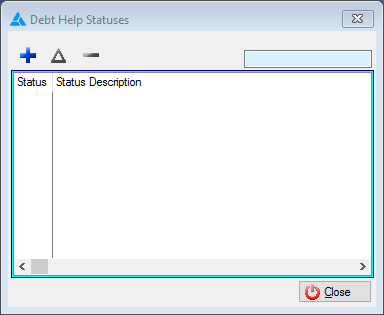
This is an example of the Debt help status browse
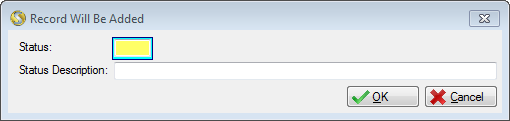
This is an example of the Debt help status form
 Below is a list of fields available on the Debt Help Status form:
|
·Status: oAllows the user to insert a code for the Debt Help Status.
·Status Description: oAllows the user to insert a description for the Debt Help status, will be displayed in the field to the right of the "Debt help status" File drop on the "Case" tab of the "Client info" window. |
General Features available in this window:
Ø  Insert
Ø  Change
Ø  Delete
Ø Browse
Ø Forms
Ø Sort
Ø Close